


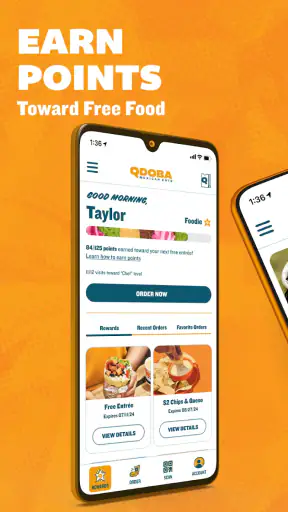
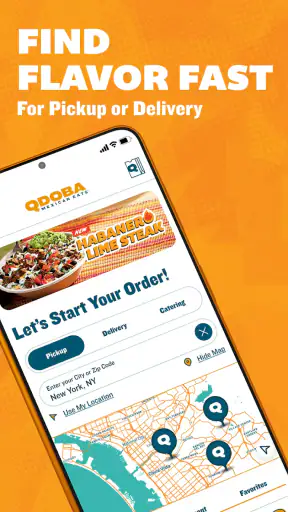
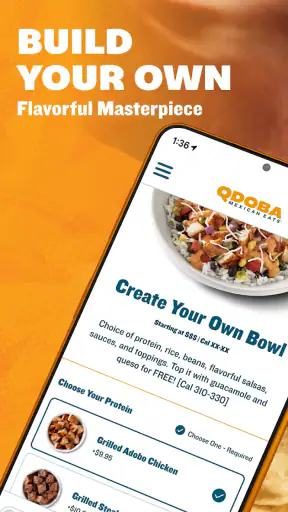
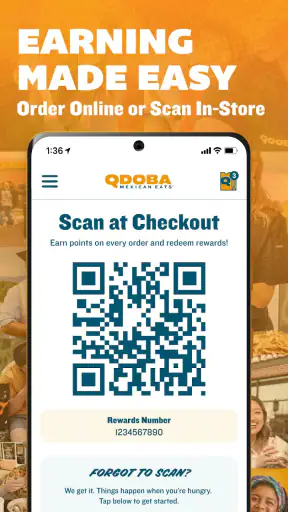
I tend to judge restaurant apps by a simple question: do they make the meal easier, or do they merely put a menu on my phone? After spending time with QDOBA Mexican Eats, I found that its value comes from reducing the small decisions around a customizable Mexican meal. It is built for people who already know what they want, but it is also useful when I need to adjust a dish carefully before ordering it for pickup or delivery.
This is a free Food & Drink app from Qdoba Digital, available to everyone and supported on Android devices starting with version 7.1. It has been around since Dec 4, 2016, and the current version is 37.12.0. Those details matter less than the everyday experience, but they do tell me that this is an established ordering tool rather than a temporary experiment.
My overall impression is positive, with one important qualification: the app is most useful when QDOBA is already a realistic option for the meal I want. It cannot solve distance, restaurant availability, delivery timing, or the basic question of whether I am in the mood for this kind of food. What it can do is make customization and ordering more deliberate than trying to explain every preference at a counter or through a rushed phone call.
How I Decide Whether QDOBA Mexican Eats Is Worth Using
The first test is control over the meal
For me, the strongest reason to use this app is control. A customizable order can become awkward when I have to remember every ingredient while someone is waiting for an answer. In the app, I can approach the meal as a series of choices instead of making them all at once. That is especially helpful when I want to remove an ingredient, change the balance of a bowl or burrito, or build something around a particular preference.
This also makes the app more useful for households with different tastes. One person may want a straightforward order, while another wants several changes. Placing both through the same ordering flow is less confusing than relying on memory. I would still review each item before submitting, because customization creates its own risk: a missed selection can be more frustrating than an ordinary menu item that arrives exactly as described.
The practical advantage is not simply ordering faster; it is making the order less ambiguous. That distinction is important. If I am buying a familiar fixed meal, the app may not feel essential. If I am adjusting several parts of a meal, the digital format earns its place.
Pickup and delivery serve different kinds of convenience
QDOBA Mexican Eats supports the two situations I most often associate with restaurant ordering: collecting the food myself and having it brought to me. Pickup is the better fit when I am already nearby or passing the restaurant on the way home. I can make the decisions before arriving instead of standing in line and working through the menu under pressure.
Delivery is more useful when leaving home would be inconvenient, but convenience does not automatically mean better value. A delivered meal involves more dependence on timing and handoff, while pickup gives me more control over when I leave and how quickly I can eat. I would choose based on the situation rather than treating one method as universally superior.
A realistic example is a busy evening when I am feeding two people who want different combinations. I can build the orders while the rest of the evening continues, check the details, and choose pickup if I am already going out. If nobody wants to leave, delivery is the easier choice. The app becomes a planning tool rather than a last-second menu viewer.
What the app’s reputation tells me
The app holds a 4.8 average from around 43 thousand ratings, with roughly 6.4 thousand written reviews. It has passed one million installs, which suggests that it is familiar to a substantial number of QDOBA customers. I do not treat those figures as a guarantee that every order will be smooth, because restaurant apps depend on location, preparation, and delivery conditions as well as software.
Still, the combination of a strong average and a large user base gives me more confidence than a newly launched ordering app with only a small amount of feedback. It also helps explain why I would try this app before searching for a separate third-party solution, especially when the restaurant itself is the destination.
Where the app is particularly strong
The clearest strength is the relationship between menu customization and advance ordering. QDOBA’s food is not presented as a one-size-fits-all experience, and the app reflects that. I can think through the composition of the meal before committing, which is useful for people who have dietary preferences, ingredient dislikes, or a very specific idea of what they want.
Another strength is reducing social pressure. Some people are comfortable making quick choices at a counter; others are not. I prefer having a moment to inspect the choices, especially when ordering for someone else. The app gives me that breathing room and makes it easier to confirm that each person’s meal is assigned to the right order.
It also works well as a repeat-order habit. Once I know the combination I like, the app can become part of a predictable routine: decide whether pickup or delivery makes sense, review the meal, and place the order. That is a better experience than starting from scratch every time, although I would not assume that a previous order should be repeated without checking it.
Three useful habits that improve the experience
My first tip is to build the order before hunger becomes the main decision-maker. When I am rushed, I am more likely to accept an unwanted ingredient or forget a change. Starting a little earlier gives me time to review the full meal and decide whether pickup or delivery fits the evening.
Second, I would treat customization as something to verify, not something to assume. After making several changes, I look back at the complete item rather than trusting that every tap had the intended result. This is a small habit, but it matters more here than it would with a simple fixed order.
Third, I use the app to separate meal planning from travel planning. If I choose pickup, I do not want to place the order and immediately rush out without considering when I can realistically arrive. If I choose delivery, I think about whether I will be available to receive it. The app makes ordering easier, but it does not remove the need to coordinate the rest of the evening.
Where the experience can feel less convenient
Customization is also the main source of friction. More choice means more opportunities to hesitate, overlook a detail, or wonder whether the final order reflects what I intended. Someone who prefers a quick tap on a standard meal may find the process more involved than necessary.
The app is also tied to the QDOBA ordering experience, so it is not a general restaurant discovery tool. I would not open it when I am comparing many nearby cuisines or trying to decide among unrelated restaurants. Its focus is useful, but that focus limits what it can replace.
There is another practical trade-off: digital convenience can make an order feel more certain than it really is. The app can capture my selections clearly, but preparation still happens in a physical restaurant and delivery still depends on circumstances outside the screen. I see it as a cleaner way to communicate an order, not as a promise that every variable will be perfect.
Who should choose it over the usual alternatives?
I would recommend it first to regular QDOBA customers, people who care about customizing meals, and anyone who dislikes making complicated orders verbally. It is also a good fit for families, roommates, or small groups where everyone wants a different combination but one person is coordinating the purchase.
It makes less sense for someone who rarely eats at QDOBA and does not expect to order again. In that case, using a broader restaurant platform may be more convenient because it keeps several choices in one place. I would also skip it when I am already inside the restaurant and the line is short; opening an app is not automatically faster than ordering directly.
People who want to browse a wide range of cuisines should also look elsewhere. A general delivery service is a better match for comparing restaurants, even if a restaurant-specific app may offer a more focused ordering path. The right choice depends on whether the decision is “What should I eat?” or “How do I want this QDOBA meal prepared?”
Comparing it with restaurant websites and delivery platforms
A restaurant website can be perfectly adequate for a one-off order, particularly on a computer or when I already know the menu. The dedicated app feels more natural when I order from a phone and want to make several selections without juggling browser tabs. I would choose the app for repeated mobile use, while a website may be enough for occasional access.
Third-party delivery platforms are more useful when I want to compare QDOBA with other restaurants or combine my food search with broader delivery choices. Their advantage is breadth. The QDOBA app’s advantage is concentration: it keeps my attention on one restaurant and its customizable meals.
That comparison also highlights a trade-off around switching. Moving from a general platform to the QDOBA app means changing where I place the order and learning a more focused flow. Moving in the other direction gives me more restaurant variety but may make the QDOBA-specific experience feel less direct. I would not switch just because one interface looks different; I would switch when my ordering habits have changed.
The real cost of changing your ordering routine
The app is free, so the main cost of switching is not the download itself. It is the small amount of attention needed to establish a new routine. I have to remember which app to open, check the order method, and become familiar with how customization is presented. For a regular customer, that effort is minor. For an occasional customer, it may not be worth adding another restaurant app.
There is also a mental cost to having multiple ordering channels. If I use a general platform for some meals and the QDOBA app for others, I need to pay closer attention to which order I am reviewing and where it is being sent. That is manageable, but simplicity matters when I am ordering for several people.
My approach would be to use the app for a few repeat orders rather than forcing a permanent switch immediately. If the focused workflow makes customization and pickup planning easier, it has earned a regular place on my phone. If I still prefer comparing restaurants each time, the broader alternative remains the better fit.
What to know before installing
QDOBA Mexican Eats is free, carries an Everyone age rating, and the current Android release is 37.12.0. The minimum Android requirement is 7.1, so it is accessible on older supported devices as well as newer phones. I would still keep the app updated when possible, particularly for an ordering tool where a current version is more likely to provide a dependable connection to the restaurant’s ordering process.
The developer listed for the app is Qdoba Digital. That is useful context when searching for the correct application, since a restaurant name can attract similarly titled results. I would check the developer name before installing, especially if I am using an unfamiliar app store search result.
My recommendation for different types of users
If you already enjoy QDOBA and frequently adjust your meal, I think this app is worth using. Its strongest benefit is not novelty; it is the ability to make a detailed order at your own pace and choose pickup or delivery afterward. For that audience, the focused design matches the way the food is ordered.
If you are ordering for a group, I would use it with a final review step. Build each meal separately, check the changes, and confirm whether pickup or delivery is still the sensible option. That workflow avoids the most likely mistake: assuming that a complex order is correct simply because it was submitted digitally.
If you are a restaurant explorer, a general platform may serve you better. You will gain broader comparison options, even though you may lose the focused feel of ordering directly through QDOBA. Likewise, if you are already at a nearly empty counter, ordering in person may be quicker than opening the app.
For me, the final verdict is straightforward: QDOBA Mexican Eats is a practical choice when customization and planning matter more than restaurant comparison. It turns a potentially rushed ordering conversation into a calmer sequence of decisions, and it handles the two most relevant use cases—pickup and delivery—without trying to be something broader. I recommend it to regular QDOBA customers and careful group-order organizers, while occasional diners and people seeking many restaurant choices should stay with a more general alternative.


